

Most keyboard players know their chords in C, F and G — and slow down everywhere else. Inversions are worse: a chord you can play instantly in root position takes three seconds to find in second inversion. The fix isn't more theory; it's a practice routine that puts every chord, in every key, in every inversion under your hands until you stop thinking. This guide gives you that routine, step by step, using ChordGrind's free keyboard chord trainer.
Table of Contents
- Why Practice Chords in All 12 Keys?
- What Are Chord Inversions?
- Which Chord Types Should You Learn First?
- How to Use the Chord Trainer
- Practising with a MIDI Keyboard
- A 4-Week Chord Practice Routine
- Common Mistakes
- FAQ
Why Practice Chords in All 12 Keys?
Real music doesn't stay in C. Songs modulate, singers need other keys, and jazz standards cycle through keys every few bars. If a chord only exists in your hands in three keys, every other key means stopping to calculate.
Practising in all 12 keys turns chords into shapes you recognise by sight and feel, not formulas you work out. The goal is reaction speed: see "B♭m7" and your hand is already there.
What Are Chord Inversions?
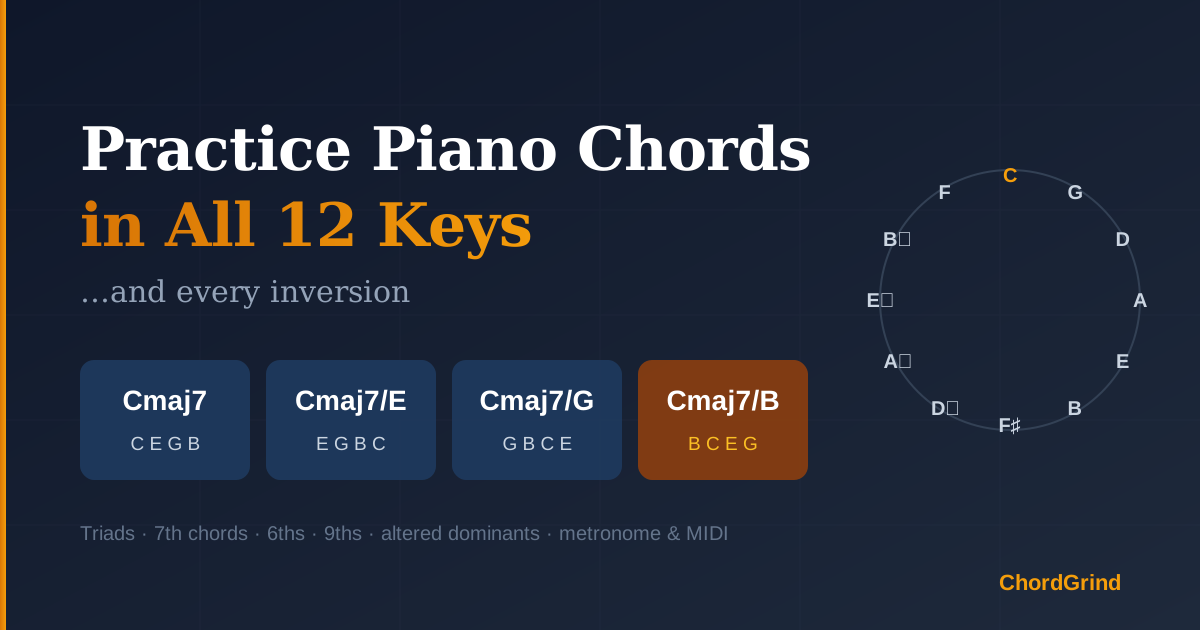
An inversion puts a note other than the root in the bass. A triad has three positions, a 7th chord has four:
| Position | Lowest note | Example (Cmaj7) | Symbol |
|---|---|---|---|
| Root position | Root | C E G B | Cmaj7 |
| 1st inversion | 3rd | E G B C | Cmaj7/E |
| 2nd inversion | 5th | G B C E | Cmaj7/G |
| 3rd inversion | 7th | B C E G | Cmaj7/B |
Inversions matter because good voice leading — moving from chord to chord with as little hand motion as possible — depends on choosing the nearest inversion, not jumping back to root position every time.
Which Chord Types Should You Learn First?
Work through them in this order; each group builds on the last:
- Triads — major, minor, diminished, augmented, sus2, sus4 (3 positions each).
- 7th chords — major 7, dominant 7, minor 7, minor-major 7, half-diminished 7, diminished 7 (4 positions each).
- 6th chords — major 6, minor 6 and 6/9.
- 9th and altered dominants — major 9, dominant 9, minor 9, then 7♭9, 7♯9 and 7♯11 (root position).
Each group also has a mixed drill that shuffles all of its types, which is the closest thing to reading a real chord chart.
How to Use the Chord Trainer
Open the Chord Trainer and pick a chord type — say Major 7.
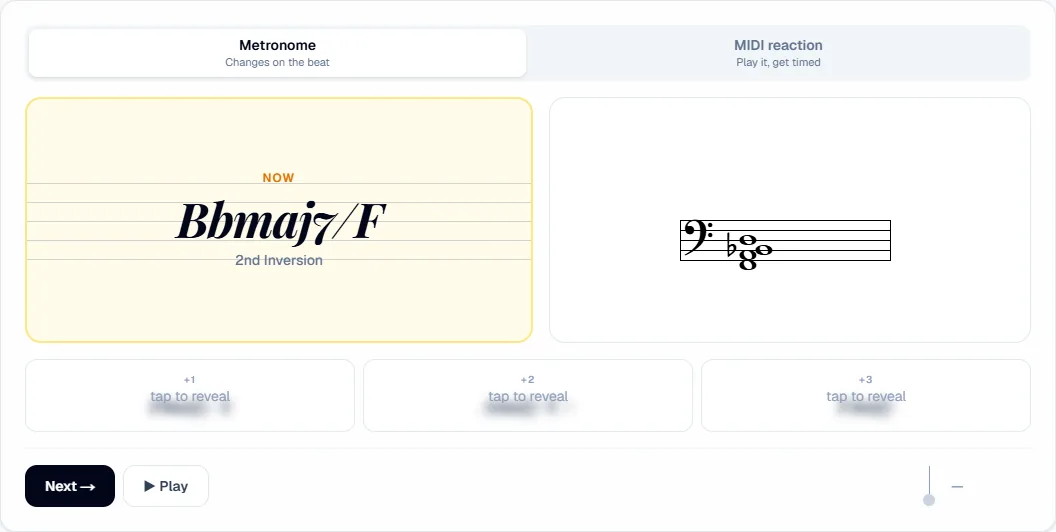
- Choose your inversions. Open Select Inversions and start with root position only, then add one inversion at a time. In a mixed drill this menu chooses the chord types instead.
- Set the metronome. Pick a BPM, a time signature (2/4, 3/4 or 4/4) and Change Every 1, 2, 4 or 8 beats. Start with a chord every 4 beats at a slow tempo — the click is your deadline.
- Pick what you see. Display shows the chord symbol, the staff, or both. Symbol-only trains lead-sheet reading; staff-only trains sight-reading.
- Look ahead. The next three chords sit in the row below, blurred. Tap one to reveal it when you want to plan the next move; leave them hidden to train pure reaction.
- Check the sound. ▶ Play sounds the chord on piano or guitar, as a block chord or an arpeggio. Next → skips ahead without waiting for the beat.
- Choose your notation. Modern (Cmaj7, Cm7♭5) or Jazz (CΔ7, Cø7, C–7, C°) — switch to whichever your charts use.
Every session is saved in your browser automatically. Use Save Your Progress to log it straight away, and the Dashboard to see your history and BPM trend.
Practising with a MIDI Keyboard
Switch to MIDI reaction mode and connect a MIDI keyboard (desktop Chrome or Edge). Now the trainer listens:
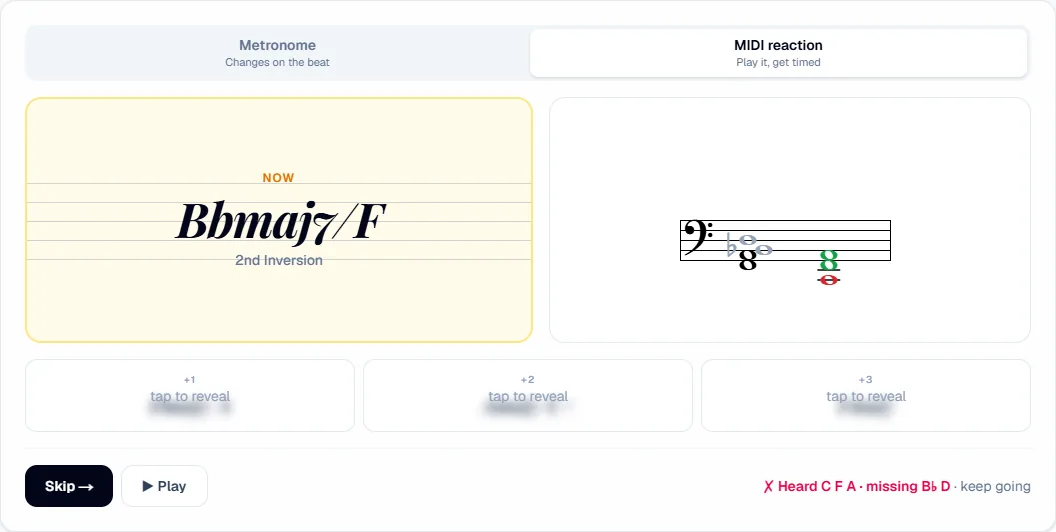
- Each chord's clock starts when it appears and stops when all its notes are down — any octave, any spacing, one hand or two.
- Turn on Match inversion to also require the correct bass note.
- A note outside the chord, or letting go with notes missing, counts as a miss. The staff shows what you played in green (right) and red (wrong) next to the written chord, plus a line like Heard C F A · missing B♭ D. Keep playing until it's right.
- Slow and missed shapes come up more often, so practice time goes where you need it.
A 4-Week Chord Practice Routine
Fifteen minutes a day, five days a week:
| Week | Chord types | Inversions | Mode / tempo |
|---|---|---|---|
| 1 | Major and minor triads, then Mixed Triads | Root → all three | Metronome, chord every 4 beats, 60 BPM |
| 2 | Major 7, dominant 7, minor 7 | Root + 1st, then all four | Metronome, every 2 beats |
| 3 | Mixed 7th Chords | All four | MIDI reaction, Match inversion on |
| 4 | 6th chords, then 9ths | All available | Display: symbol only, every 2 beats |
When a group feels easy, make it harder in one way at a time: faster tempo, fewer beats per chord, staff-only display, or Match inversion on.
Common Mistakes
- Always starting from root position. Practise inversions as their own shapes, not as "root position, then move a note".
- Saying note names instead of seeing shapes. If you're spelling C-E-G-B in your head, slow the tempo down until the shape comes first.
- Avoiding the hard keys. Random keys keep you honest; don't skip D♭ or F♯ when they come up.
- Practising without a time limit. The metronome (or the MIDI clock) is what turns knowledge into reaction speed.
FAQ
How long does it take to learn piano chords in all 12 keys?
With fifteen minutes a day, most players are fluent with major and minor triads in all keys within a few weeks, and with the main 7th chords in every inversion within two to three months.
Should I learn inversions or just root position first?
Root position first, but only briefly. Add the 1st inversion as soon as the root position is comfortable — inversions are what make chord changes smooth.
Can I practice without a MIDI keyboard?
Yes. Metronome mode works with any piano or keyboard: play each chord before the next beat and use ▶ Play to check yourself. MIDI adds automatic checking and reaction-time stats.
Is this only for jazz piano?
No. Triads and 7th chords in every key and inversion are the foundation for pop, rock, gospel and accompaniment of any kind. The extended and altered chords are there when you need them.
Start Practising
Chords in every key and every inversion are the single most useful skill on keyboard — and the one most players never finish. Open the free Chord Trainer, start with one chord type at a slow tempo, and add one challenge at a time. Once your 7th chords are solid, learn to voice them through a ii–V–I with shell voicings, or train your eyes with the Piano Sight-Reading Trainer.